
How to Build a Business-to-Business Website Using a Web3 Stack
It was a warm, rainy Sunday in June. I had just completed my latest passion project, Satoshi For Storage an encrypted file sharing service powered by Lightning payments. The back-end was solid, the code was clean, the concept was revolutionary. But then I pause

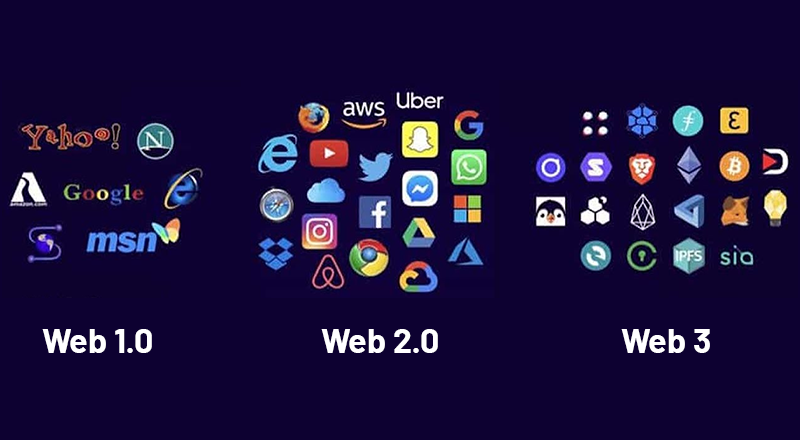
It was a warm, rainy Sunday in June. I had just completed my latest passion project, Satoshi For Storage an encrypted file sharing service powered by Lightning payments. The back-end was solid, the code was clean, the concept was revolutionary. But then I paused.
I already built Bit Main Street Market—a sovereign network running behind the veil of Tor, tight and secure like Fort Knox in cyberspace. But as I stared out the window, watching the raindrops roll down like ticker tape on an old stock exchange monitor, I had a thought:
"How do I take this mainstream? How do I build a B2B solution that’s decentralized, future-proof, and powerful enough to replace Azure?"
And like all great ideas, it hit me while sipping on leftover cold coffee: convert the old-school, main street clothing store website into a cutting-edge Web3 decentralized gem.
Let me break down how I’m doing it and how you can too.
What We’re Building
- Frontend: Joomla CMS for structure
- Backend: PHP + MySQL/MariaDB
- Storage: Filebase over IPFS for media
- File Sharing: FileBrowser or Nextcloud
- Video Hosting: IPFS + HLS streaming
- Payment: BTCPay Server (Lightning + on-chain BTC)
- Chat: Matrix / Element or Socket-based WebSocket
Step-by-Step: Web3 B2B Site Blueprint
Step 1: Get Joomla Running
- Apache or NGINX
- PHP 8+
- MySQL/MariaDB
- Joomla installed in /var/www/html or your custom path
- Enable clean URLs and SSL
Step 2: Set Up Your Database
- Create a joomla_b2b DB
- Assign user/password with full privileges
- Connect during Joomla install
- Harden security (disable remote root, update credentials)
Step 3: Offload Media to IPFS via Filebase
- Sign up for Filebase
- Create a bucket (e.g., b2b-media)
- Upload videos, images, documents
- Use the IPFS CID or public gateway links in your Joomla articles
Step 4: Enable Secure File Uploads
via FileBrowser or Nextcloud
- Install FileBrowser (Docker or binary)
- Add user roles, restrict folders
- Auto-sync uploads to Filebase bucket using a cron or webhook
Step 5: Video Hosting (HLS on IPFS)
- Convert .mp4 to HLS (.m3u8 + .ts) using ffmpeg
- Upload all files to IPFS via Filebase
- Embed using a player like Video.js in Joomla
Step 6: Add Web3 Payments (BTCPay Server)
- Deploy your BTCPay Server (Start9, LunaNode, etc.)
- Generate API key + store ID
- Create a Joomla plugin/module to embed invoice iframe
- Listen for webhook responses
Step 7: Add Real-Time Chat for Businesses
- Matrix + Element or Custom WebSocket chat
Step 8: Make It Pretty
- Override Joomla templates with Tailwind
- Add landing page animations, CTA modules, mobile-first layout
The Business Use Case
- Digital agencies
- Media companies
- Decentralized app consultants
- Artists & content creators
- Small biz trying to escape Big Tech
Closing Thoughts
- You don’t need AWS.
- You don’t need Google.
- You need the will to build.
And that rainy Sunday in June? That was the day the idea stepped boldly into the light. It wasn’t just about building it was about remembering why we build at all. In that quiet moment, we saw how to create secure alternatives for the entrepreneur, the dreamer, the rebel. That day, we didn’t just make a tool… we lit the path.